Brixel Proyect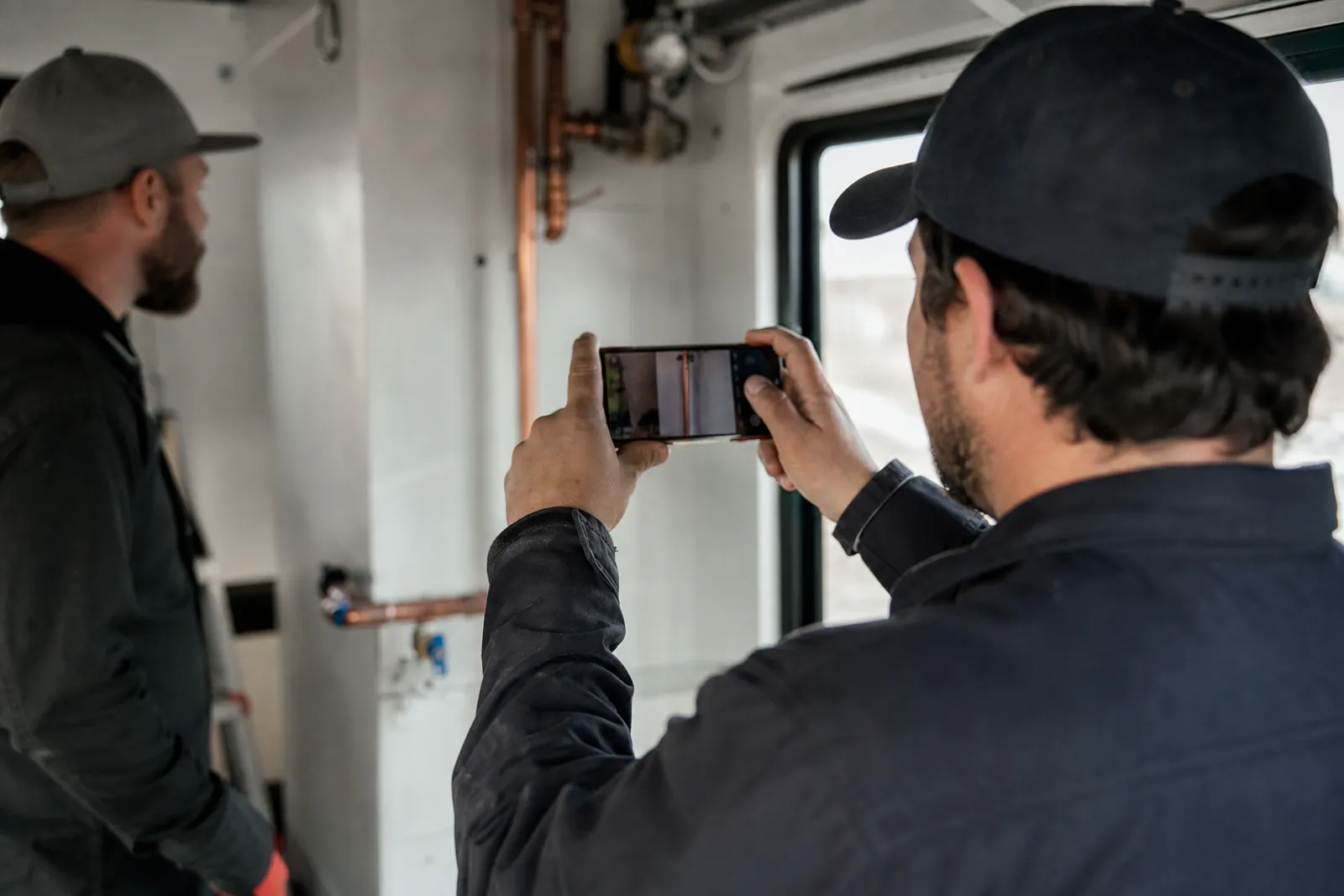
Start with a small plan before you press record
The biggest mistake is filming without knowing what you want to show. Before you start, pick one job or one small part of a job and think about the story you want the clip to tell. A clean repair, a careful install, a finished haircut, or a before-and-after cleanup all work well because people can understand them fast.
Keep the plan simple. You are not making a full movie. You just need a few short clips that can be used later on your website, in social posts, or in a message to a customer who wants to see your work. A short plan also keeps you from filming too much random footage that you never use.
- Choose one task, not the whole day.
- Think in small moments: start, work, finish.
- Film the part that shows care, not just motion.
Set up the phone so the shots stay steady
Most phone videos look better when the phone does not move much. Hold it with both hands and keep your elbows close to your body. If you can, rest your arms on something solid like a counter, truck bed, workbench, or wall. That small support makes a big difference.
A simple stand can help too, but you do not need anything fancy. Even a stable shelf or ledge can work for a wide shot. When you do move the phone, move slowly. Quick swings and fast zooms make the clip hard to watch and harder to use later.
Think about where the viewer should look. Frame the work itself, not your shoes, the ground, or half the truck. If you are showing a repair, keep the problem area in the center or slightly off center. If you are showing a finished result, step back enough that the setting still makes sense.
- Brace your arms before recording.
- Use slow pans only when needed.
- Check the frame before each clip.
Use light from the right side
Good light makes phone video look much cleaner without extra gear. When you can, stand so the main light comes from the side, not straight behind you. Side light helps show shape, texture, and detail. It can make a countertop, haircut, paint job, tile line, or lock repair look clearer.
Avoid filming with bright light directly behind the subject unless you want a silhouette. That usually turns the work into a dark shape and hides the detail people want to see. If you are outside, shift your angle a little until the face of the work is lit. If you are inside, move closer to a window or turn on the area lights around the job.
Watch for mixed light that changes the color of the clip too much. A room with one bright window and one dark corner can make the scene look uneven. You do not need perfect light. You just need enough that people can see what you did without guessing.
- Place the subject where the side light falls well.
- Do not film straight into the sun or a bright light.
- If a clip looks dark, move before you start over.
Keep clips short and useful
Short clips are easier to store, review, and reuse. They also keep your camera roll from turning into a mess. A few seconds of a clean action is often more useful than a long recording with pauses, talking, or extra movement.
Film one action at a time. Show the before, the key step, and the finished result as separate clips if that works better. That makes editing easier later and gives you more ways to use the footage. A short clip of you opening a panel, a short clip of the repair, and a short clip of the result can each serve a different purpose.
Do not wait for a perfect take every time. The goal is useful proof of work, not a polished studio video. If the first clip looks good enough and clearly shows what happened, move on. The more you stop and restart, the more time you lose on the job.
- Record one action per clip.
- Keep the camera rolling only as long as needed.
- Save before, during, and after clips separately.
Get permission before you film a customer or their place
Always ask before filming in a customer’s home or business. That includes the work area, the customer, their family, their pets, personal items, or anything that could reveal private details. Some customers are fine with it, but you should never assume.
A simple ask works best: tell them you want to film a few short clips of the work for your own marketing use and that you will avoid showing anything private. If they are not comfortable, respect that right away. You can still film tools, materials, your hands, or the finished work without showing the customer at all.
If a customer says yes, keep the filming low-key. Do not turn the job into a performance. Keep the clip brief, stay focused on the work, and avoid showing faces or names unless the customer clearly wants that and understands where it may appear.
- Ask before filming, not after.
- Keep private details out of frame.
- If the answer is no, switch to detail shots.
Name and save files so you can find them later
Good footage does not help if you cannot find it. Use a simple naming habit as soon as you save the clip. A format like work type, location, and date helps you sort files later without digging through a pile of videos with random phone names.
For example, you might save clips as "lock repair miami april" or "bathroom tile before after." Keep the wording short and consistent. If you always use the same pattern, searching later becomes much easier. You will know what is in the file before you open it.
It also helps to make folders by service type or project type. One folder for installs, one for repairs, one for finished results, and one for customer-approved clips can save time. If you use WordPress, social posts, or a website gallery later, a clean folder system makes that work much smoother.
Do not leave everything in the camera roll if you film often. Phones get cluttered fast. Move the clips you want to keep, then clear out the rest once you are sure you do not need them.
- Use the same file name style every time.
- Sort clips by service or job type.
- Move keepers out of the camera roll quickly.
Make the setup part of your normal routine
The easiest way to keep filming useful is to make it part of the job flow. You do not need to film every call or every visit. Pick the jobs that show your best work, the clearest process, or the kind of problem your customers often ask about. That keeps the footage practical instead of forced.
Try to film at the same stage of the job when possible. For example, you might always grab a quick before shot before tools come out, a few action clips during the main work, and a finished shot before you pack up. A repeatable routine saves time and makes your clips easier to compare later.
If you want these clips to help your website or local pages, keep them honest and simple. Show the real place, the real job, and the real result. That kind of content helps people trust what you do. We help local service businesses put that kind of footage to work on the web at Brixel Proyect, but the filming habit starts with you and your phone.
- Film the same stages on each job.
- Keep the process short enough to repeat.
- Use real work, not staged scenes.
Questions owners ask
Do I need special gear to film good phone video?
No. A phone, steady hands, and decent light are enough for most service businesses. A simple stand can help, but it is not required. Good planning matters more than expensive gear.
What should I film if the customer does not want to be on camera?
Film the work itself, your hands, tools, materials, and the finished result. You can still make useful clips without showing the customer or their face. Just keep private details out of frame.
How should I store the clips so I can find them later?
Use a repeatable naming style with the service type, place, and date or project name. Save clips into folders by job type so they are easy to search later. Do not let everything stay in one crowded camera roll.