Brixel Proyect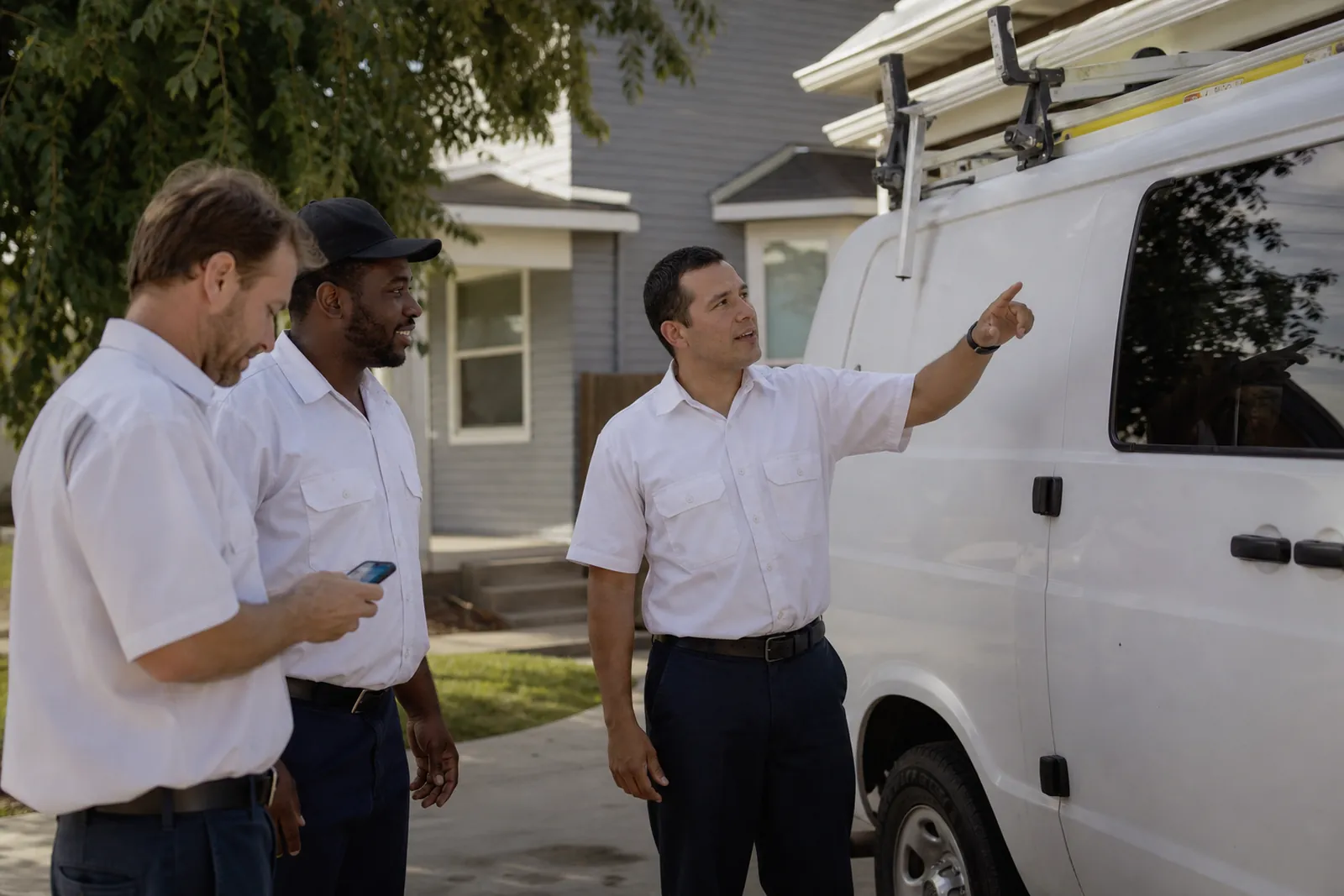
Start with the photos people want to see
When someone lands on your profile, they are usually asking a few quick questions: Do these people look real? Do they handle jobs like mine? Do they seem organized and clean? Your photos should answer those questions without making the visitor work for it.
The best photo mix usually includes your team, your van or truck, real jobs, before and after shots, and your workspace. You do not need a giant gallery. You need a small set of clear, honest photos that show what a customer can expect.
If you run a service business, skip the stock-looking images and the random snapshots that do not say anything useful. A good photo should show a real person, a real place, or a real job. If a photo could belong to any business anywhere, it probably does not help much.
- Think like a customer: what would make you feel comfortable calling this business?
- Use photos that show the work, not just the logo or the building.
- Aim for clear and simple over polished and staged.
Show the team so people know who may arrive
Team photos matter because local service work is personal. People want to know who may be coming to their home, office, or storefront. A friendly group shot, a portrait of the owner, or a few candid pictures of techs on the job can make the business feel more human.
These do not need to look like a formal office portrait. A clean shirt, a tidy background, and a natural expression are often enough. If your crew wears uniforms or branded shirts, include them. That gives people a quick sense of order and consistency.
You can also add photos that show team members working together or loading up for the day. Avoid awkward poses, party pictures, or anything that feels too casual for a business profile. People are not looking for perfection. They are looking for trust.
- Include the owner if they are often the face of the business.
- Choose photos where faces are easy to see.
- Update team photos when the people on your crew change a lot.
Use your van, truck, or workspace as proof
Your vehicle and workspace can do a lot of trust-building. A clean van in a driveway, a stocked truck outside a job, or a tidy shop all help people see that you are active and organized. For many service businesses, these photos act like proof that the business is real and working nearby.
If your van has branding, make sure the photo is clear enough to read it, but do not worry about making it look like an ad. The goal is not to sell with the image. The goal is to show the visitor that your team shows up prepared.
Workspace photos are useful for salons, clinics, repair shops, and other businesses where people may visit you. Show clean counters, neat tools, waiting areas, or treatment rooms. Keep the frame simple and free of clutter. A messy room can make a good business look careless, even if the work is solid.
- Take vehicle photos in daylight when possible.
- Show the inside of the workspace as it really looks on a normal day.
- Avoid close-ups that hide the setting.
Show real jobs, not just finished brag shots
Photos of real jobs are often the strongest part of a profile. They show the kind of work you actually do, which helps the right customers find you and the wrong ones move on. If you install fixtures, repair locks, cut hair, clean carpets, or handle medical or beauty services, show the work in progress when it makes sense.
A few well-chosen job photos can tell a better story than a long description. A technician repairing a unit, a stylist finishing a cut, or a cleaner working in a real room helps people picture your service before they call. That picture in their head matters.
If you can, show the same kind of job in different settings. A similar task in a house, office, or storefront helps people understand your range. Keep the photos honest. If the job was small, do not make it look like something larger. Clear and truthful wins here.
- Take photos during the job, not only after everything is perfect.
- Capture tools, hands, and the work area when they help tell the story.
- Ask before photographing inside a customer’s property.
Before and after photos need restraint
Before and after photos can be very effective because they make the result easy to see. They work especially well for repairs, cleaning, painting, landscaping, detailing, salon services, and other visual jobs. The key is to keep them honest and easy to compare.
Use the same angle for both shots when you can. Keep the lighting similar. Make sure the change is clear without having to guess. If the before photo is blurry and the after photo is bright and staged, people may not trust what they are seeing.
Do not overdo it. A profile that is nothing but dramatic before and after shots can start to feel like a portfolio instead of a real local business page. Mix these in with team, vehicle, and workspace photos so the profile feels balanced.
- Make sure the difference is real and easy to understand.
- Use before and after only when the contrast helps explain the service.
- Keep customer privacy in mind and remove personal items when needed.
How often to update photos and what to avoid
You do not need to upload photos every day. What matters is keeping the profile fresh enough that it still feels active. A good habit is to add new photos whenever you finish an interesting job, change vehicles, bring on new staff, refresh the workspace, or finish a seasonal project.
It also helps to review your photo set every few weeks. Remove anything that feels outdated, blurry, dark, or off-brand. If your profile still shows an old truck, a former team member, or a waiting room that no longer looks that way, people may wonder what else is out of date.
Avoid filters that distort colors. Avoid screenshots. Avoid group selfies taken in bad light. Avoid images that are cropped too tight, too dark, or too far away to tell what is happening. Do not upload the same photo many times just to fill space. And do not use images that show another business’s work, another person’s property, or a job that was not yours.
- Set a simple routine: add a few new photos when you have real work to show.
- Use natural light when you can.
- Check the profile from your phone and see how the photos look at small size.
Make the photos work together as a story
The best photo sets do more than show random scenes. They tell a small story about how your business works. First, people see who you are. Then they see the vehicle or workspace. Then they see the kind of job you handle. After that, they see the result.
That story helps the visitor feel more comfortable. A homeowner looking for a locksmith, a parent looking for a salon, or a patient checking out a clinic wants a quick sense that the business is real, neat, and ready to help. Your photos should make that feeling easier to get.
If you are not sure what to post next, start with the weakest part of your profile. If it has no team photos, add those first. If the work area looks stale, refresh that. If you only have polished finished shots, add a few images from an actual job. Small fixes can make the profile feel much more complete.
- Think of the gallery as proof, not decoration.
- Refresh the weakest category first.
- Keep each photo tied to a real part of your business.
Questions owners ask
How many photos should I add to my Google Business Profile?
You do not need a huge gallery. Start with a small group that covers your team, vehicle, work area, and a few real jobs. Add more when you have fresh, useful photos that show what you actually do.
Can I use phone photos, or do they need to be professional?
Phone photos are fine if they are clear, bright, and honest. In many cases, a simple phone photo of a real job looks more trustworthy than a staged picture. Just avoid blurry shots, dark rooms, and heavy filters.
What photos should I remove from my profile?
Remove anything blurry, outdated, duplicated, or off-brand. Also pull photos that show old staff, old vehicles, messy spaces, or jobs that do not match the service you want to be known for. If a photo adds confusion, it is probably not helping.