Brixel Proyect
Start with a clear heading and a real local promise
Your page should tell people right away what the page is about and where you work. Use a heading that names the city and the service in plain words, like "Plumber in Coral Gables" or "Hair Salon Serving Pinecrest."
Right under that heading, add a short opening that says who the page is for, what you do in that city, and what kind of job you handle. Keep it simple. A visitor should not have to guess if you serve homes, storefronts, rentals, or all three.
- Say the city name near the top.
- Mention the main service, not a long list.
- Keep the first paragraph short and direct.
List the services that matter in that city
Do not copy your main services page word for word. On a city page, narrow the focus to the work people in that area usually ask for. A locksmith page for one town may stress lockouts and rekeys, while another city page may mention new lock installs and office access control.
Use a short list or a few tight paragraphs to show what you actually do there. If a service is not offered in that area, leave it out. It is better to be clear than to sound impressive.
This part should help a reader answer one question: can you handle my job here? If the answer is yes, say so in plain language.
- Put the most common local jobs first.
- Do not stuff every service into one page.
- Avoid repeating the same sentence in a few different ways.
Add local proof that sounds like real work
A city page needs proof that you know the area. That does not mean big claims or fancy praise. It means small, believable details that fit the place and the type of job.
You can mention neighborhoods, nearby roads, building types, parking limits, older homes, condos, shops, schools, or the kind of calls you often get there. For example, a salon page might mention that many clients come in after work, while a clinic page might note that families and older adults are common visitors.
If you have done work in that city, say what kind of job it was without naming private details. A few honest examples beat a long list of vague adjectives.
- Use place details that a local would recognize.
- Keep proof specific but private.
- Do not say you are the best, fastest, or top-rated.
Use photos that match the city and the service
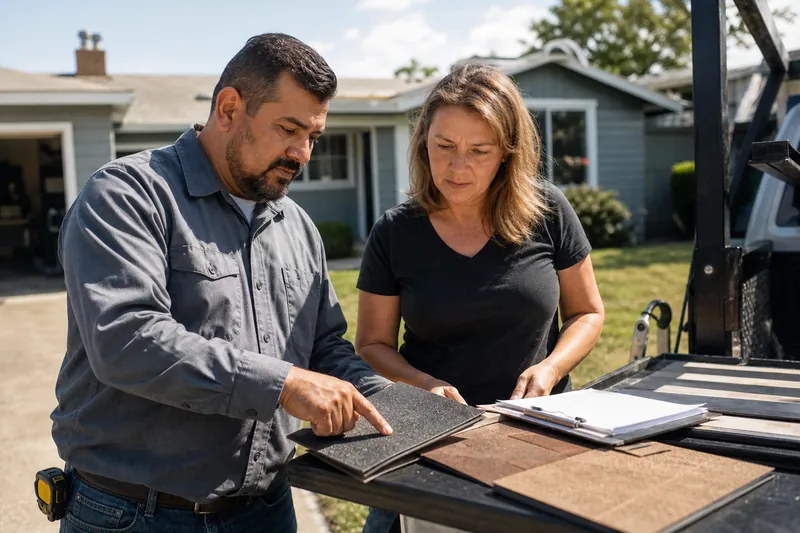
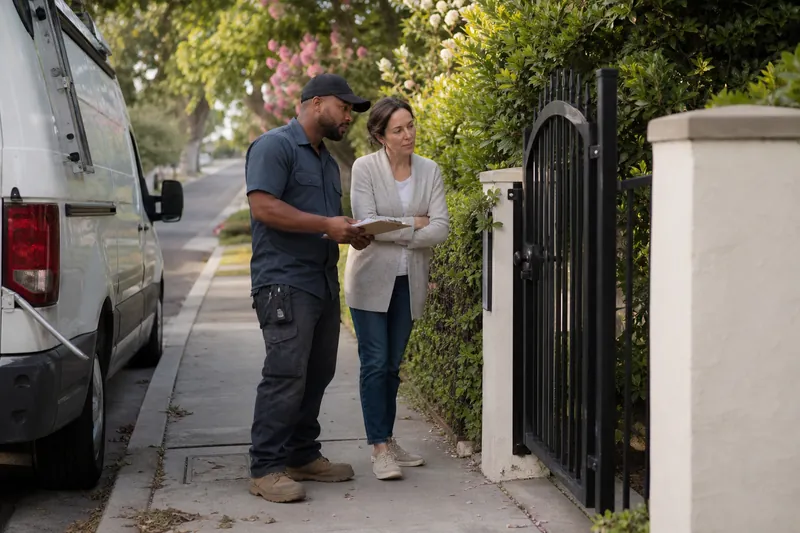
Photos help a city page feel real. Use pictures of your team, your truck, your shop, your tools, or finished work in a nearby home or business. If the page is for a city with beach homes, older houses, condos, or commercial spaces, show work that fits that setting.
Try to use your own photos instead of stock images. Stock photos often look clean but generic, and they can make a page feel like it was built in a hurry. Real photos can be imperfect and still do a better job.
You do not need a big photo gallery. A few honest images placed near the right parts of the page are usually enough.
- Use real work from nearby areas when you can.
- Choose photos with clear lighting and no clutter.
- Avoid stock images that do not match your service.
Make contact easy and repeat it in the right spots
A city page should not hide the next step. Put your contact method near the top and again near the bottom. If people need to call, tap, text, or fill out a form, make that clear without making them hunt.
Match the contact choice to the job. A locked-out customer may want a fast call button. Someone booking a salon visit may prefer a form or booking request. A clinic or contractor may need a simple phone number and service request form.
Do not pile on too many contact choices. A few clear options are better than a crowded page with five buttons and no direction.
- Repeat the main contact method more than once.
- Keep the call to action plain, like "Call for service" or "Request an estimate."
- Make sure the city page shows the same contact details as your other pages.
Answer the questions people ask before they call
A good city page should handle the common doubts a local customer may have. Add a short FAQ section or a few question-and-answer blocks near the bottom. Think about what people ask most: Do you serve this neighborhood? Do you handle same-day calls? Do you work on houses, apartments, or businesses? Do you offer weekend visits? How far do you travel from the city?
Keep the answers short and direct. Do not write a wall of text. If a question needs a long answer, the page may be trying to do too much.
This part also helps you sound useful instead of promotional. You are not pushing harder. You are removing friction.
- Write the questions the way a customer would ask them.
- Answer each one in two or three sentences.
- Cover service area, timing, job types, and next steps.
Link nearby towns and leave out the fluff
A city page should help people move to nearby places if they do not live in that exact town. Add links to nearby cities or neighborhoods you also serve. This helps visitors find the right page and makes your site easier to use.
Keep those links natural. A short line near the bottom works well, such as "Serving nearby areas like Kendall, South Miami, and Coral Gables." Do not build a long list that looks stuffed.
Just as important, leave out the fluff. Skip long stories about the city, copied boilerplate, broad service blurbs, and paragraphs that could fit any town in any state. If a sentence would still work after you swap in a different city name, it probably does not belong.
Also leave out fake-sounding claims, empty praise, and keyword repeats. A city page should sound like a helpful local page, not a template someone filled in after lunch.
- Link to nearby towns only if you truly serve them.
- Cut any paragraph that could belong on every city page.
- Use plain words instead of marketing filler.
Questions owners ask
How long should a city page be?
Long enough to answer the main local questions without repeating yourself. A page that clearly explains the service, the area, the proof, and the next step is better than a page that is long for no reason.
Should every city page have different text?
Yes, at least in the parts that describe the area and the work you do there. You can use a similar structure, but the examples, local details, and questions should change from page to page.
What if I do not have many photos from that city?
Use the photos you do have from nearby jobs, your team, your tools, or your workspace, as long as they are real. A small set of honest images is better than filling the page with stock photos that do not match your business.