Brixel Proyect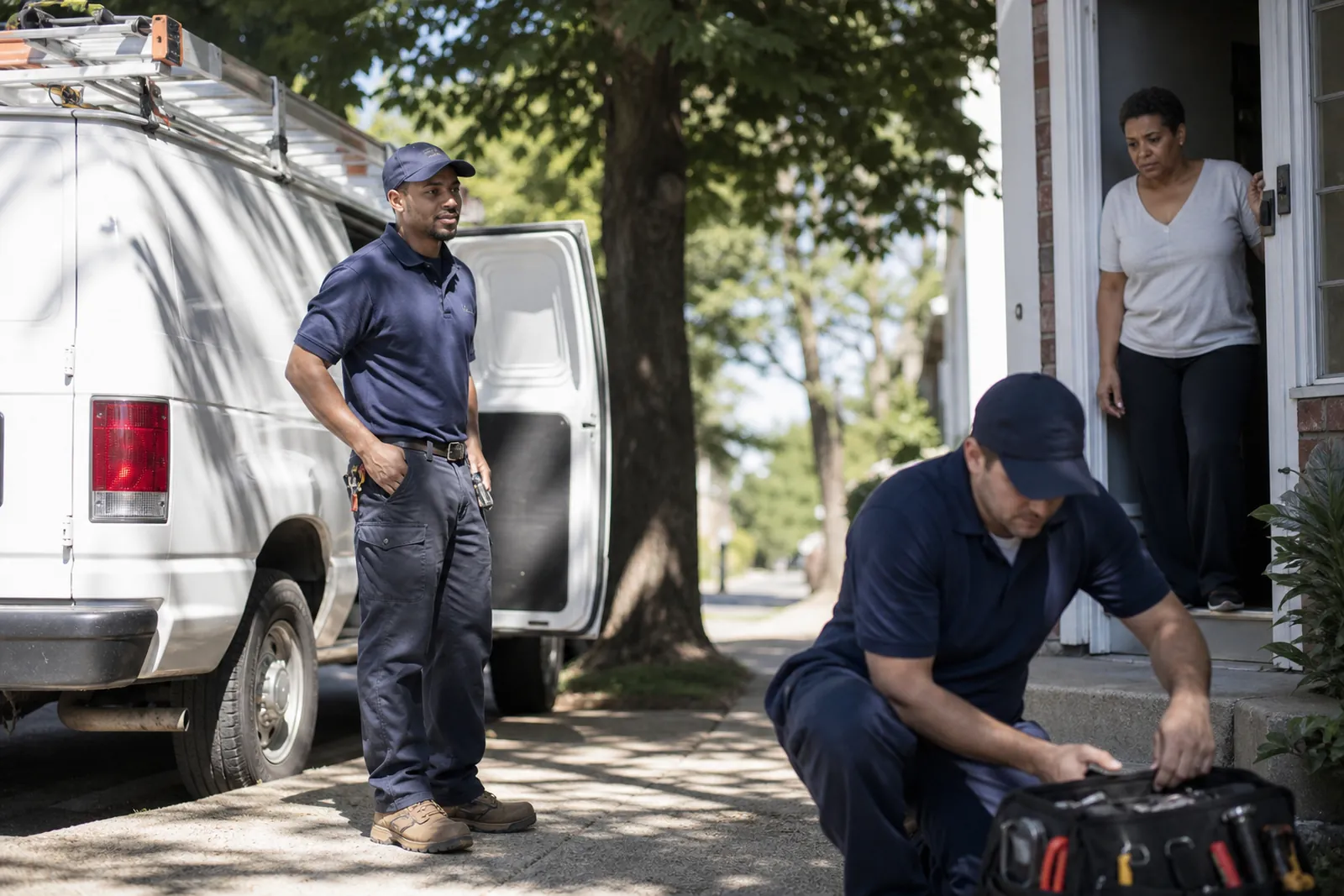
Why the person at the door matters
Your website does not need to look polished in a fake way. It needs to look like your business. When a visitor sees the person who may show up at their door, in work clothes, beside the van, the whole business feels more real.
That matters for any service business that enters homes or meets people face to face. A locksmith, plumber, cleaner, salon, clinic, or contractor all sell trust before they sell the service. If the photos feel borrowed, customers may wonder what else is borrowed.
Stock photos often fail because they show a perfect scene that does not match your crew, your tools, or your service area. The people in those photos do not look like they know your streets, your weather, or your kind of work. Real photos do not have to be fancy to do a better job.
- Show the person who will actually answer the call or knock on the door.
- Include work clothes, tools, and the vehicle people may see at the job.
- Choose a setting that looks like your real work, not a stage set.
What trust looks like in a photo
Trust in a photo comes from small details. Clean uniforms, a tidy van, a calm face, and natural light say more than a posed grin in a studio. People can tell when a picture was taken to impress instead of to inform.
A good team photo should answer quiet questions before the visitor even asks them. Who will arrive? Do they look prepared? Do they seem like they take the work seriously? A simple picture can answer all three.
Think about the first person a customer meets. If that is a technician, driver, stylist, or receptionist, give them a photo that feels honest and present. Have them look at the camera sometimes and at the work sometimes. Both kinds of shots help.
- Use one close portrait and one wider shot that includes the van or storefront.
- Keep hands busy with a real task when you want the photo to feel natural.
- Avoid heavy filters that make skin, clothes, or vehicles look fake.
Plan the photo set before anyone steps outside
You do not need a long shoot. You need a short plan. Write down the few images that matter most for your site: one team portrait, one person at the van, one arrival shot, one working shot, and one or two casual moments that show personality.
Pick the people who will be on camera. If your business is small, that may be one owner and one helper. If you have a larger crew, choose a few faces that customers may actually meet. Do not crowd the frame with everyone if that makes the picture look staged.
Gather the details before you start. Clean shirts, tidy hats, wiped-down tools, and a washed van save time. If the team looks rushed, the photos will look rushed too.
- Make a short shot list so nobody has to guess what comes next.
- Choose one place with open daylight and little background clutter.
- Ask each person to bring the clothes they wear on a normal work day.
How to get the photos in one afternoon
Start with the simplest image first. Put the person near the van or in front of your shop and take a few relaxed shots while everyone is still fresh. This helps the team get used to the camera before you move into the more natural pictures.
Next, get the action shots. Have the person open the van, unload a tool bag, greet a customer, inspect equipment, or walk toward a job site. These images show motion and purpose, which stock photos rarely do well.
Then take a few close portraits. Keep the background simple. A wall, a clean driveway, or the side of the van is enough. Ask the person to hold a natural posture, breathe, and look toward the camera or just past it.
Finish with extra options. Take some photos with arms crossed, some with tools in hand, and some with a smile that feels real. It is better to have a few strong options than one perfect-looking photo that only works in one place.
- Shoot more than you think you need so you can pick the best later.
- Use daylight and avoid deep shade, harsh noon glare, or mixed indoor light.
- Move one step left or right if the background is messy.
What to avoid so the photos stay believable
Do not line everyone up stiffly and tell them to smile at the same time. That kind of image looks like a staff photo for a school yearbook, not a working service business. A little movement feels better.
Do not use props that do not belong to your work. If you are a locksmith, a giant random toolbox from another trade will confuse people. If you run a salon, do not force a construction-style pose. Match the photo to the job.
Do not hide faces behind too many shadows, filters, or objects. If the goal is trust, people should be able to see the person clearly. A dark, blurry photo can create doubt even when the person is skilled and friendly.
Do not mix in old photos from years ago with fresh ones unless you need to. If the van changed, the uniform changed, or the team changed, visitors may notice. Keep the set consistent so the site feels current.
- Skip fake handshakes, fake laughs, and forced poses.
- Skip cluttered backgrounds with trash bins, cables, or random signs.
- Skip photos that make the crew look like they are waiting to be told what to do.
Where to use these photos on your site and profiles
Start with the home page. Put the strongest photo near the top so visitors see a real face right away. That picture should tell them they found a real local business, not a page built from generic images.
Use another photo on the About page with a short story about how you work, who shows up, and what customers can expect. This is also a good place for a van shot or a team-in-the-field shot.
Add real photos to service pages, contact pages, and review pages. A person booking a repair may feel better when the page shows the actual technician type who handles the work. A photo of the van can help on pages where customers wonder how you arrive.
Keep the same style across Google Business Profile, Instagram, Facebook, and your website. The pictures do not need to match exactly, but they should feel like the same business. That consistency helps people recognize you when they come back.
If you use WordPress, choose images that load cleanly and look sharp on phones. Crop them with care so the face and the van do not get cut off in small screens.
- Put one real face near the top of the home page.
- Use a van shot or arrival shot on contact and service pages.
- Keep your profile photos and site photos from the same day if you can.
A simple workflow you can repeat later
You do not need a giant photo project every time your site changes. Build a small process you can repeat once in a while. Pick a day, choose the same kind of clothes, clean the van, and take a fresh set when something meaningful changes.
Save the best photos in a shared folder with clear names so you can find them later. Keep the portrait, the van shot, the arrival shot, and the work shot together. That makes it much easier when you need a new page, a post, or a profile update.
Review the set with one question in mind: does this look like the business people will actually meet? If the answer is yes, you are close. If the answer is no, reshoot before putting the photos on the site.
If you want help shaping the photos into a homepage, About page, or local service page, we at Brixel Proyect can help organize the pieces without making the site feel fake.
- Set aside one afternoon and keep the plan small.
- Update photos when uniforms, vehicles, or staff change.
- Choose honesty over perfection every time.
Questions owners ask
Do I need a professional photographer for team photos?
Not for this kind of shoot. A phone and a simple plan are often enough if the light is good and the backgrounds are clean. The main goal is to look real and clear, not posed.
What if my team is small and only one person usually shows up?
That is fine. A strong photo of one real person beside the van can work very well. You can also take a second image with the owner, dispatcher, or helper so the business feels human.
Should I use the same photo everywhere?
You can use the same main photo in a few places, but it helps to have a small set. Use one face for the home page, one arrival shot for service pages, and one casual shot for profiles so the business feels active without looking repetitive.