Brixel Proyect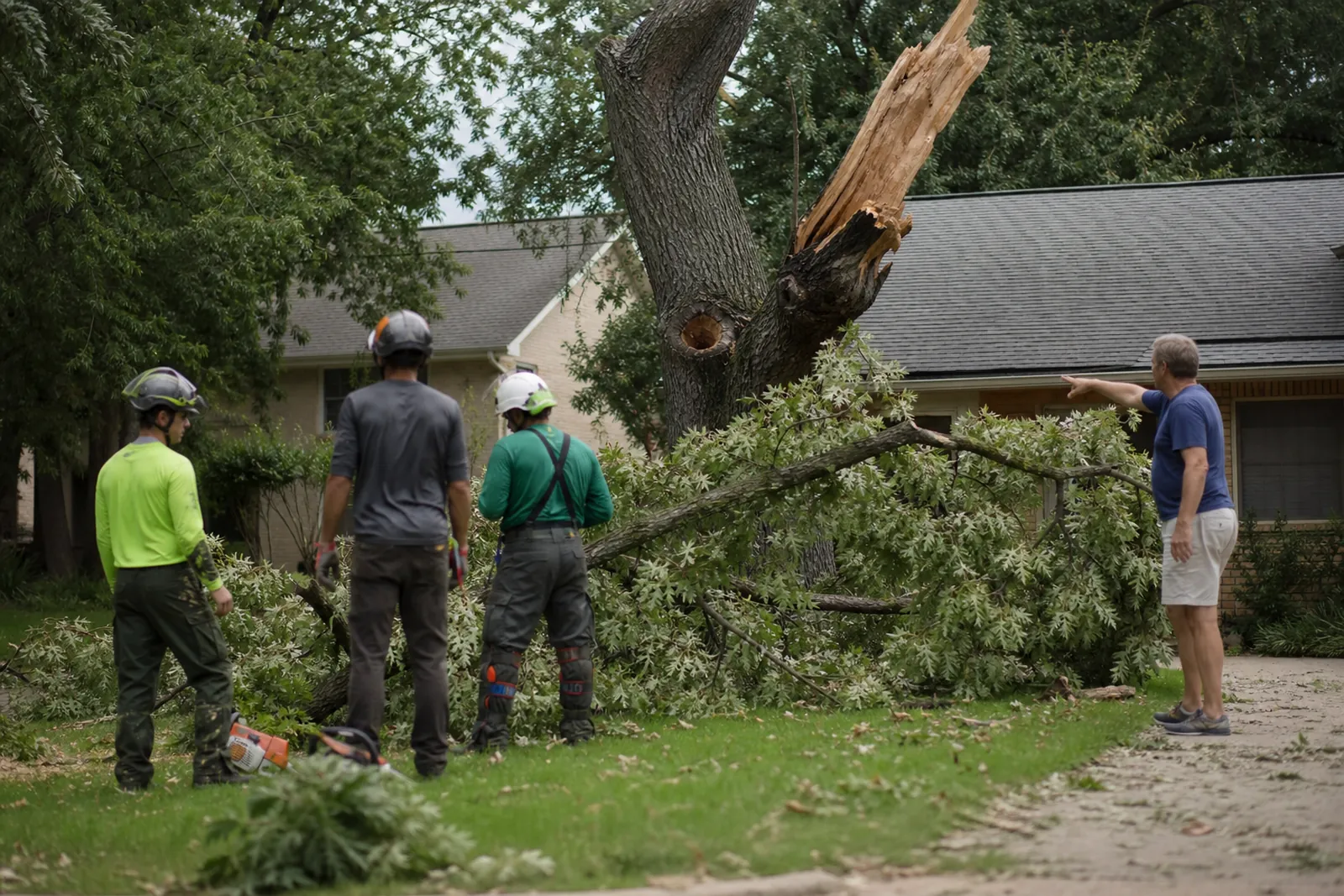
Lead with the jobs people call about first
Tree work is not one type of job. A homeowner with a cracked trunk after a storm has a different need than someone planning a removal before a pool install. Your homepage should make that clear right away.
Put your main services near the top in plain language: emergency tree service, tree removal, tree trimming, stump grinding, and tree risk checks. If you offer crane work, lot clearing, or palm care, add those only if you truly do them often.
Each service should have its own page. That lets you explain the job, show the right photos, and answer the questions that matter for that task. A strong service page helps a visitor feel like they found the right crew before they ever call.
- Use the words customers use, not only trade terms.
- Do not hide storm help behind a general 'services' page.
- If a service is limited to certain towns, say so.
Make storm damage and planned removals feel different
Storm calls need a calm, fast message. Planned removals need a careful, trust-building message. Those pages should not read the same.
For storm work, explain how you handle hazardous trees, broken limbs, blocked driveways, and trees leaning on homes, fences, or cars. Say what the visitor should do first, like staying clear of the area and calling if the tree is creating a safety issue.
For planned removals, explain why people schedule the work. Common reasons include roots lifting a driveway, a dead tree, a tree too close to the house, or clearing space for new construction. This page should show that you understand the decision is often about safety, property care, and timing.
If you do both, make the difference obvious with separate sections or separate pages. A storm visitor should not have to read through yard planning language to find help.
- Use photos that match the job shown on the page.
- Add a short note on what happens after the first call.
- Do not make storm help sound casual or rushed.
Answer insurance, safety, and access questions before they are asked
People want to know if you are insured, how you protect the property, and how you handle a job near a house, fence, pool, or power line. Put those answers on the page, not only in a phone call.
Write a simple insurance section that says you carry the coverage you actually have. If you are not comfortable listing policy details online, say that proof can be shared on request. Keep it factual and current.
For safety, explain how you protect workers and the property. Talk about cones, barriers, controlled cutting, cleanup, and careful rigging when needed. If you use climbing, cranes, or bucket trucks on some jobs, describe that in plain words only if it is part of your normal work.
The same goes for access. Homeowners want to know if you need gate access, if you work near pets, and whether someone must be home. A short FAQ on each service page can save a lot of back-and-forth.
- Say what you do to protect landscaping, driveways, and structures.
- Keep the insurance note short and factual.
- Do not use vague safety claims like 'we are the safest.'
Treat stump grinding as its own job, not a footnote
Many tree companies mention stump grinding only in passing, but customers search for it on its own. Give it a page with its own photos, process, and cleanup details.
Explain the difference between removing a stump and removing a tree. A homeowner may already know the tree is gone and now wants the stump handled so they can mow, replant, or fix the look of the yard.
Spell out the basics: how deep you grind, what happens to the chips, whether roots are left behind, and what the yard may look like after the job. If you offer backfill or simple leveling, mention that too.
If you do not remove all roots or do not offer planting afterward, say that clearly. Honest limits are better than a page that sounds like it does everything.
- Show stump grinding before and after photos.
- Explain cleanup in simple words.
- Add a note for people who want grass or a new tree later.
Use town pages for a wide service area without copying yourself
If you work across a wide area, town pages help people know you serve their neighborhood. They also help you speak to local concerns, like older tree canopies, HOA communities, narrow driveways, or fast storm cleanup after heavy wind.
Do not make every town page a copy with the town name changed. That looks lazy and helps nobody. Give each page one local angle: common yard types, access issues, a neighborhood style of housing, or nearby areas you already cover.
A good town page includes the services you offer there, a short note on how visits are scheduled, and a few local examples of the work you handle. If some towns are for trimming and stump grinding but not large removals, say that.
You can also group nearby towns on one page if the jobs and service area are similar. That is better than building thin pages that repeat the same sentence over and over.
- Write one unique paragraph for each town.
- Mention real access or yard issues only if they truly apply.
- Link town pages back to the main service pages.
Handle HOA and permit questions with a calm, practical page
Homeowners often do not know if they need HOA approval or a permit before cutting or removing a tree. That hesitation can stop a call, so answer it directly.
Make a page or FAQ that says tree rules can depend on the town, the HOA, the size or type of tree, and the reason for the work. Tell visitors to check with the right office when needed, and say you can provide job details for approval forms if that is part of your process.
Keep this page steady and practical. Do not pretend every job is permit-free. Instead, show that you understand the process and know when a customer may need to ask before starting.
This is also a good place to explain when you can help with photos, measurements, or a written scope of work. Many owners do not need a legal lecture. They need a clear next step.
- Add an FAQ about HOA approval.
- Use plain words like 'may need' and 'depends on the property.'
- If you know a town has extra rules, say so carefully.
Build trust with proof, not hype
Tree work is visible. People can tell when the page is full of empty praise and stock phrases. Use proof that feels real: job photos, short service descriptions, crew descriptions, and a few simple notes about how you work.
Show the kinds of properties you handle: homes, condos, HOAs, rental properties, and light commercial sites. If you are used to tight yards, difficult access, or fast turnaround after storms, say that in normal language.
Keep the contact path clear on every page. A visitor should know how to request help, what information to send, and what kind of visit you can schedule first. If you need photos, ask for them. If a call is better for urgent work, say that too.
We often help tree service owners turn this into a clean site structure in WordPress with clear service pages and town pages, so the site feels organized without becoming hard to update.
- Use real project photos, not generic nature shots.
- Say what kinds of properties you actually serve.
- Make the first contact step easy to find.
Questions owners ask
Should a tree service put emergency and planned work on the same page?
You can mention both on the homepage, but they should each have their own section or page. Emergency visitors want fast, direct language, while planned removal customers need detail and trust. Splitting them keeps the page easier to read.
What should a tree company say about permits and HOA approval?
Say that rules depend on the town, the HOA, and the tree or job type. Tell visitors to check with the right office when needed, and offer to provide job details or photos if that helps with approval. Keep the wording calm and practical.
How many town pages should a tree service have?
Only create pages for towns you truly serve and can describe in a real way. If nearby towns share the same service pattern, one strong area page can work better than several thin pages. Unique local details matter more than the total count.