Brixel Proyect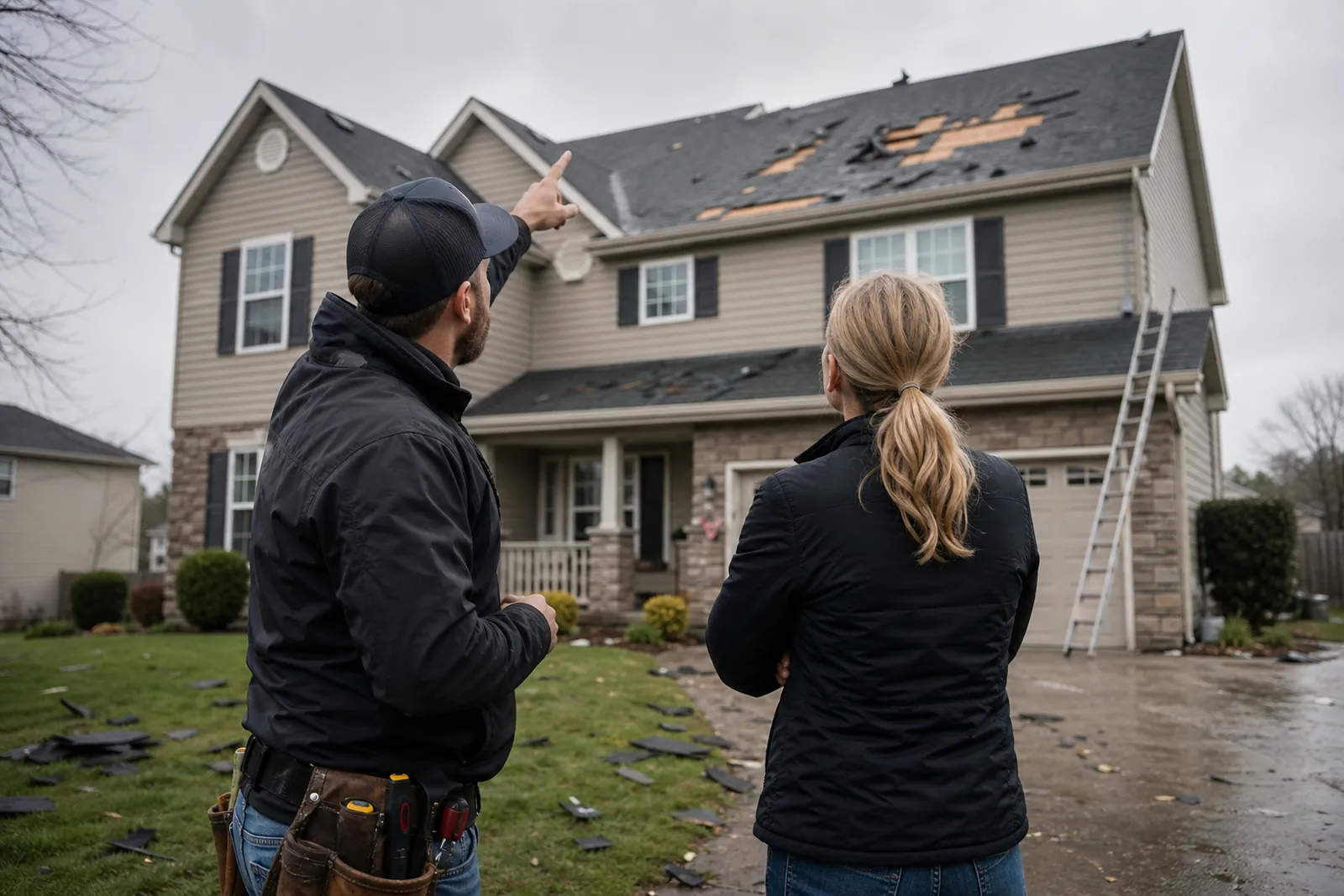
How homeowners choose a roofer after a storm
Most homeowners are not shopping for a brand. They are trying to solve a problem that just showed up on the ceiling, in the attic, or in the yard. They want someone who can inspect the roof, explain the damage in plain words, and tell them what happens next.
Your site should answer the questions that come up in that first rush: Do you handle storm damage? Can you work with insurance? Do you replace a full roof, repair shingles, and tarp if needed? Can you come to my town? If those answers are hard to find, people often keep moving.
Think about the feeling after hail, wind, or a hard rain. People want calm, clear direction. A roof site that feels useful and direct can make that choice easier because it shows you know this situation and can guide them through it without pressure.
- Put storm help near the top of the home page.
- Use plain words like roof inspection, roof repair, roof replacement, and storm damage.
- Make your phone number easy to find on mobile.
What your roofing site must show first
Your home page should make your main services obvious right away. If you handle repairs, replacements, leak checks, and emergency tarping, say so in simple language. Do not hide the work behind vague phrases like quality solutions or dependable service.
Homeowners also want proof that you work on real roofs, not just polished marketing shots. Show jobs you have actually completed. Use photos of shingles, flashing, valleys, roof edges, skylights, gutters, and finished roofs from the street and from the ladder when it helps explain the work.
Add a short section that explains how you work. For example, you inspect the roof, document damage, explain options, and help the homeowner decide the next step. That kind of process can lower stress because it tells people what they can expect before they call.
- Show real before-and-after photos from your own jobs.
- List the roof types you work on if that is part of your service.
- Use a short, direct call to action on every main page.
Build a storm damage page that speaks to urgent needs
A storm damage page deserves its own spot on your site. Do not bury storm work inside a general services page. People searching after a storm want to know if you can inspect for hail or wind damage, find leaks, and help stop more water from getting in.
This page should explain what you look for during an inspection. Talk about missing shingles, lifted edges, damaged flashing, soft spots, and visible signs of water entry. Keep it simple. The goal is not to teach roofing terms. The goal is to help homeowners recognize that you understand what storm damage looks like.
You can also explain what happens after the inspection. Will you take photos? Will you give a written summary? Will you tell them if the roof needs repair or full replacement? Clear steps help people feel less lost when they are already dealing with a damaged home.
- Answer the first question fast: do you inspect storm damage?
- Use examples of hail, wind, and tree damage if you handle them.
- Say if you offer emergency tarping or temporary protection.
Create an insurance help page that keeps things simple
Insurance is a big part of how many homeowners decide what to do next, but they often feel unsure about the process. A good insurance page should explain how you help without sounding like you are making promises about the claim itself.
Describe the support you offer. You can say that you document damage, share photos, explain roof conditions in plain words, and meet the homeowner or adjuster when needed. Keep the focus on helping the customer understand the roof, not on pushing paperwork jargon.
Be careful with wording. Do not promise that a claim will be approved or that the roof will be covered. That is outside your control. Instead, show that you can give clear records, honest opinions, and steady communication so the homeowner feels prepared.
- Explain your role in the process, not the outcome.
- Add a few common questions near the bottom of the page.
- Mention that you can help the homeowner document visible damage.
Use town pages to match local searches
Town pages help your site match the way people actually search. Someone in Coral Gables will not always type the same wording as someone in Hialeah or Doral. A page for each town can make it easier for local homeowners to see that you work in their area.
Do not copy the same page and swap out the town name. That feels thin and can annoy readers. Each town page should include local service notes, the kinds of roofs you often see there, and the weather problems that come up in that area. You can also mention nearby neighborhoods, common roof materials, or the kind of homes you often service.
Keep each town page focused. One page can talk about inspections and repairs in that town. Another can explain storm response there. The point is to be specific enough that a homeowner feels the page was written for them, not pasted from a template.
- Write a unique intro for each town page.
- Mention real streets or neighborhoods only if you truly serve them.
- Add internal links from town pages back to your storm and insurance pages.
Photos, proof, and the trust details people look for
Roofing is visual, so your photos carry a lot of weight. People want to see the condition of real roofs, your crew working safely, and the finished result. A photo of a clean truck parked in a driveway matters less than a clear shot of damaged shingles, underlayment work, or a completed ridge line.
Use captions when they help explain the job. A short note like wind damage in Kendall or full replacement after hail in Homestead gives context without sounding like marketing copy. If the photo shows the kind of issue the homeowner has, that can make your site feel more useful.
Your site should also show proof that you are easy to reach and easy to understand. Put your service area, hours, phone number, and contact form in places people do not have to hunt for. If you have a Google Business Profile, make sure the name, address, and phone match your site. If you keep a blog, use it for helpful topics like leak signs, roof age questions, or what to do before the next storm.
- Use your own job photos, not stock images.
- Show close-ups and wide shots so people can see the full story.
- Keep the contact path short on every page.
Questions owners ask
Should a roofer make a separate page for storm damage?
Yes. A separate storm page helps you speak directly to homeowners who need fast help after hail, wind, or heavy rain. It also gives you a place to explain inspections, temporary protection, and next steps without crowding the home page.
What photos work best on a roofing website?
Real photos from your own jobs work best. Show damaged shingles, flashing, underlayment, finished roofs, and your crew on active jobs when it makes sense. Homeowners want to see the kind of work you actually do, not polished stock images.
Do town pages need different content?
Yes, they should. You can keep the main service structure similar, but each page should talk about that town’s homes, roof types, and common weather issues in a fresh way. If every town page reads the same, it will not feel local.